


windows vista and crome problem ***FIXED***


Thread Starter
3.0 BAR
Joined: Dec 2005
Posts: 2,081
 windows vista and crome problem ***FIXED***
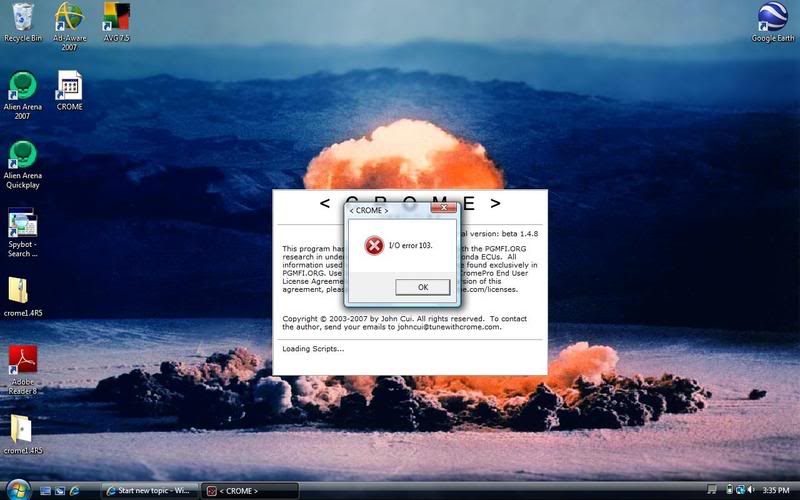
I thought I saw a thread on this awhile back but couldnot find it, anyway i finally got my cromepro reg. string for my new computer its OS is Vista. Everytime crome starts I get this pop up error box.
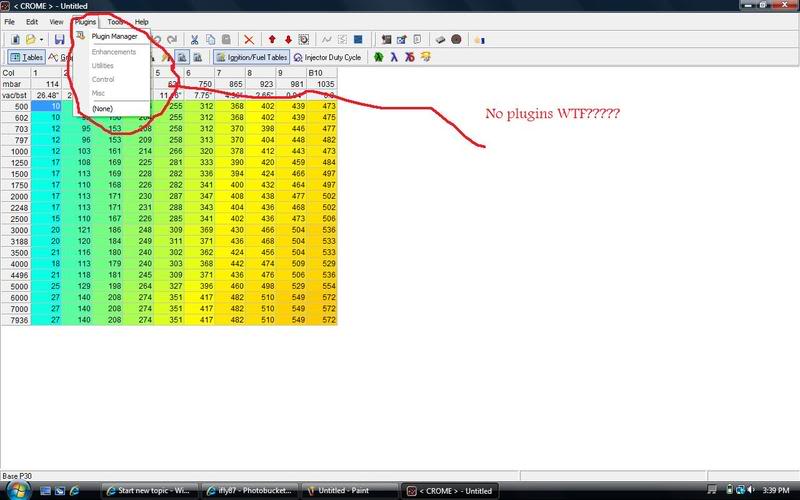
Then if I click ok and try and modify any bin whatsoever, all my pluggins are gone like in this pic
I completely uninstalled crome and reinstalled it still same problem. If I go to the plugin Manager, and manually select a plugin that same I/O error 103 box appears and I get no plugin. Any info at all on how to fix this would be fabulous, I have already pushed back a tune to tuesday from yesterday due to some other problems and would like this working asap, thank you.
Then if I click ok and try and modify any bin whatsoever, all my pluggins are gone like in this pic
I completely uninstalled crome and reinstalled it still same problem. If I go to the plugin Manager, and manually select a plugin that same I/O error 103 box appears and I get no plugin. Any info at all on how to fix this would be fabulous, I have already pushed back a tune to tuesday from yesterday due to some other problems and would like this working asap, thank you.

0.0 BAR
Joined: Jun 2005
Posts: 0
From: WA
Re: windows vista and crome problem
Click on the come directory and go to its properties. There's a box that says "read only" checked. Change that to admin or someshit like that.
I'll get you the thread
http://forum.pgmfi.org/viewtopic.php...vista&start=15
I'll get you the thread
http://forum.pgmfi.org/viewtopic.php...vista&start=15
"That I/O Error is a read only error, so what i had to do to fix it is go to my Crome folder and for some reason it was set as "read Only" then i had to go into security tab of the main folder and allow all users of the computer (just me) all access. restarted the program and works flawlessly"

1.5 BAR
Joined: Jul 2005
Posts: 1,069
Re: windows vista and crome problem
i had the same problem, there is a conflict between Vista and Crome. No one had a solution when I tried it, but I think on PGMFI.org there is a fix for it. I just dual boot between XP and Vista now, keeping all of my tuning ---- on the XP side.
EDIT: Nevermind, ^^^^^^beat me to it.
EDIT: Nevermind, ^^^^^^beat me to it.
Thread Starter
3.0 BAR
Joined: Dec 2005
Posts: 2,081
Re: windows vista and crome problem ***FIXED***
Yeah I tried running as admnin and it kept freezing and when I checked the task manager it was "not responding". I reinstalled it and ran as admin and now it works great thanks for the reply though!!

0.5 BAR
Joined: Mar 2005
Posts: 184
Re: windows vista and crome problem ***FIXED***
I'm having this same problem and for some reason I can't register on pgmfi.org(get a mx error for my email??) what did you do to get this to work. I can run as administrator and get crome to start but now my ostrich wont connect ? any help is greatly appreciated.
? any help is greatly appreciated.


